
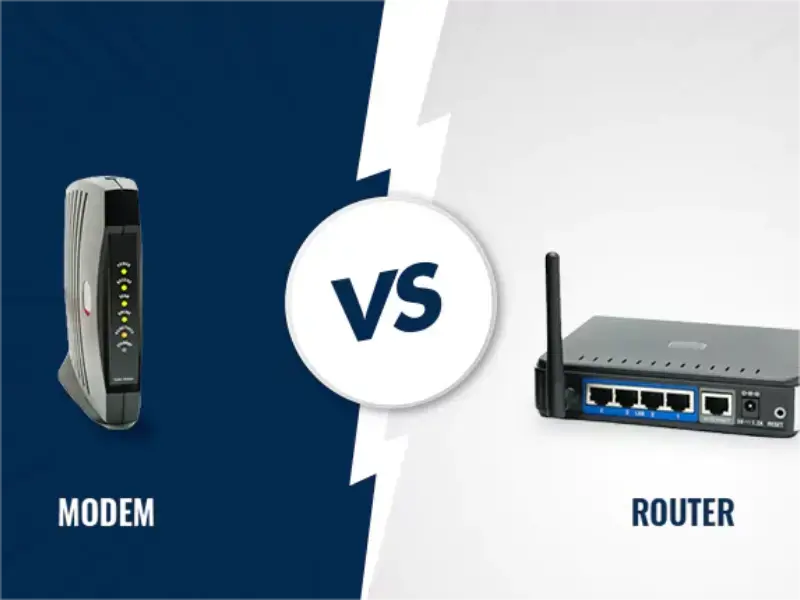
- Detailed exploration of the distinctions between modems and routers.
- Clear explanation of how modems and routers work together for Internet connectivity.
- Guidance on choosing between standalone units or combination modem-router setups for optimal home networking.
Modems and routers serve distinct purposes and functions. A modem establishes a connection to the Internet, while a router links your devices to your home network (also known as a Local Area Network or LAN) or WiFi network, facilitating wireless communication among your devices. Notably, a router alone does not provide Internet connectivity. Thus, how do modems and routers cooperate? This article elucidates the disparities between these devices.
What are modems?
A modem is a device that links your home to your Internet Service Provider (ISP) and deciphers digital signals from the ISP into a format understandable by your computer. Typically, modems feature two connection ports: one linking you to your ISP and another connecting to your computer/laptop or router.
Also read: Everything you need to know about Resource Public Key Infrastructure (RPKI)
Modems come in various types: analog modems (dial-up), digital subscriber line (DSL) modems, or cable modems. A cable modem utilises a coaxial cable to connect your devices with your Cable Internet service provider (ISP), thereby establishing Internet connectivity.
Generally, ISPs furnish modems to their subscribers for a monthly rental fee, which may include support and troubleshooting services. However, purchasing your own modem can eliminate these recurring rental fees, potentially saving up to $168 annually, depending on your current rental charges. A modem ensures a dependable, wired Internet connection. Nonetheless, to connect multiple devices or utilise wireless connectivity (WiFi), both a modem and a router are required.
What are routers?
As previously mentioned, when multiple devices require Internet access, or if wireless connectivity (via WiFi) is desired, a router becomes necessary. The router connects these devices to your home or WiFi network, enabling wireless communication among them and facilitating Internet access.
What is the combination of a modem & a router?
A combination modem router, or cable modem router, integrates the functionalities of both a modem and a router into a single hardware unit (sometimes referred to as a gateway). This unified unit, the modem router or cable modem router, serves as both a modem and a router, providing Internet connectivity and distributing it to multiple devices.
What are the differences between modems and routers at-a-glance?
Modem features:
- Fewer Ethernet ports compared to a router
- Possesses a public IP address
- Utilises a wide area network (WAN)
Router features:
- More Ethernet ports than a modem to connect multiple devices to the Internet
- Has a private IP address
- Distributes within a local area network (LAN)
How to choose between a cable modem & cable modem router?
When deciding between a separate modem and router setup or opting for a combination cable modem router unit, the choice depends on your preferences for your home network setup. A combo cable modem router can suffice. However, if you prefer greater flexibility in adjusting home network settings, such as security configurations, having separate cable modem and router units might be preferable. For even more flexibility, you can purchase your cable modem, router, or cable modem router instead of renting them for a monthly fee.
While this can lead to long-term savings, renting from your ISP often includes access to support technicians and troubleshooting assistance.
Hitron has been crafting Cable Modems for Cable Internet Providers for over three decades. You can acquire Hitron’s CODA Cable Modem on Amazon. For further information on cable modems and routers, refer to our comprehensive guide.
Understanding the disparity and collaboration between modems and routers is essential for establishing efficient Internet connectivity. Whether opting for a standalone modem, router, or a combination unit, the choice depends on individual preferences and network requirements. Explore further to make informed decisions and enhance your Internet experience.