Summary
- LULU Software's Soda PDF should be judged by the accepted PDF change: the moment a user edits, converts, signs, secures, or recovers a document and another party must trust the resulting file. Convenience is useful, but fidelity, permissions, OCR accuracy, and recoverability decide business value.
- Soda PDF's position is strongest for SMBs and document-heavy teams that need a broad PDF toolbox across desktop and browser contexts without committing every user to Adobe Acrobat. The same breadth creates supervision cost when complex scans, forms, tables, signatures, cloud handoffs, or subscription limits enter the job.
- The public evidence supports a pragmatic conclusion rather than a reliability claim. Soda PDF offers many of the expected PDF functions, has active public review signals, and exposes business deployment and licensing options, but the evidence does not prove that it preserves every complex PDF feature or every scanned layout under high-stakes conditions.
- The realistic buying question is whether the time saved on repeated document changes exceeds the time spent checking conversions, fixing OCR errors, retraining users, managing renewals, and deciding when a sensitive or legally material file belongs in a more controlled tool.
The PDF Change, Not the PDF Button
Most PDF software looks better at the start of a task than at the end of it. A button that promises to convert, edit, compress, sign, merge, or protect a PDF is easy to understand. The hard question appears after the file leaves the tool. Did the invoice still total correctly after conversion? Did the scan become searchable without corrupting names, numbers, or columns? Did the signature process preserve the right final copy? Did a password setting create real control or only a feeling of control? Did the same file behave the same way when it moved from desktop software to an online tool and then to a recipient's viewer?
That is the right lens for LULU Software's Soda PDF. The company and product should not be measured as a generic PDF utility. They should be measured against a repeated business task: moving a static or scanned business document into an accepted changed state. A small business may need to turn a paper form into an editable PDF, correct a clause in a supplier contract, collect signatures, export a PDF to Word for redrafting, compress a file before sending it to a portal, or protect a document before sharing it.
Students, administrative workers, finance teams, HR coordinators, legal assistants, sales operations staff, and independent professionals face the same pattern at different levels of risk. The work appears simple until a changed document must be relied upon.
Soda PDF's proposition is broad. Public product pages describe a desktop application for Windows, an online platform, a Chrome extension, conversion tools, editing tools, OCR, cloud storage, AI document assistance, translation, forms, comments, security controls, batch conversion, e-signature features, and business licensing. The homepage presents Soda PDF 15 as software with a refreshed interface and a more responsive engine. The plans page positions Pro, Team, and Business tiers around a mix of Windows desktop and browser availability.
Business material emphasizes license management, deployment, lower software cost, security, and support. These are the ingredients of a document productivity suite rather than a single-purpose converter.
The breadth matters because PDF work is rarely one action. A scanned supplier certificate may need OCR, a correction, page reordering, a signature, a compressed export, and storage in a shared drive. A grant form may start in a browser, require a desktop correction, and return to email. A loan package, lease, school record, or insurance form may need a signature route that a nontechnical recipient can complete. If Soda PDF handles these steps in one product family, the user saves context switching. If one step loses fidelity, the whole chain becomes a rework problem.
The article therefore treats Soda PDF as a business document-change system. The central issue is not whether Soda PDF has a long feature list. It does. The issue is where that list holds up, where it needs supervision, and where cheaper or more specialized substitutes become more rational.
What LULU Software Is Being Evaluated For
The relevant entity boundary is LULU Software and the Soda PDF document software line. This is not an assessment of Lulu.com publishing services, Adobe's own PDF tools, or the document records that customers create with Soda PDF. Soda PDF is the operating surface here: PDF creation, conversion, editing, signature-style handling, online and desktop work, document productivity, and related licensing.
That boundary matters because PDF software inherits the complexity of other people's documents. The product is not operating in a clean database where every field has a defined type. It is working on files produced by Microsoft Office, scanners, mobile cameras, legacy form tools, government portals, printer drivers, design applications, web pages, and old PDF processors. Some PDFs contain searchable text. Some are mostly images. Some contain embedded fonts, forms, annotations, permissions, layers, tables, comments, attachments, or unusual page boxes. Some are designed for long-term preservation. Some are only a snapshot of something else.
The public PDF standard context reinforces that point. PDF is a standardized electronic document format intended to support exchange and viewing across environments, but it is also a format used by many kinds of writers, readers, processors, and interactive tools. PDF/A, the archival variant, is explicitly concerned with preserving static visual appearance over time. Those facts are important for judging any PDF editor. A changed file has to satisfy both human expectations and the technical expectations of downstream software.
A visual match on screen is not always the same as a faithful conversion, a valid form, a preserved link, a usable text layer, or a durable archival record.
Soda PDF's own materials acknowledge this indirectly. The product markets conversion, editing, OCR, signing, security, online access, desktop access, batch work, cloud storage, and deployment. Those features sit exactly where PDF complexity becomes operational cost. A user is not buying a PDF editor only to add text to a page. The user is buying a way to finish a document task without returning to the source application, without retyping an entire scanned file, without paying for a heavier PDF platform for every employee, and without creating a worse file than the one that arrived.
That is a useful role. It is also a role that punishes overstatement. The best Soda PDF customer is not necessarily the organization with the most regulated document estate or the most exotic PDF requirements. The best fit is more likely the team whose PDF work is frequent, practical, and repetitive: administrative packages, routine agreements, reports, invoices, internal forms, training material, school documents, operations packets, and sales documents. The harder the file, the more a manager should budget for inspection.
The Accepted Change Is a Chain
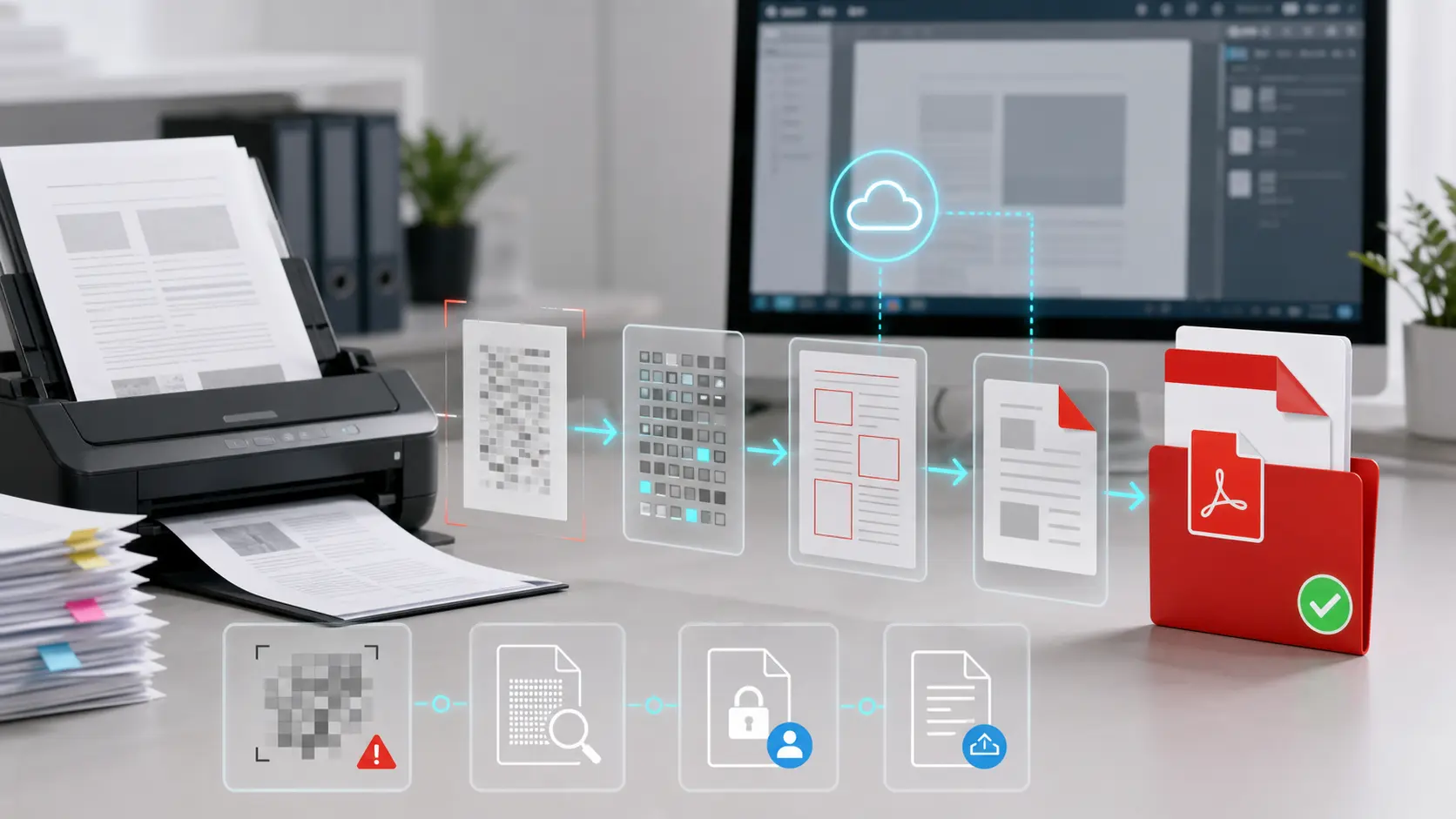
An accepted PDF change has several stages. First, the document has to enter the system. That may mean uploading to a browser tool, opening in the Windows desktop application, importing from Google Drive or Dropbox, or using an Office add-in. Second, the document has to be recognized. If it is already text-based, the tool can expose text and page elements. If it is a scan, OCR must identify characters and create editable or searchable content. Third, the user has to make a change: edit text, add an image, fill a form, rearrange pages, export to Word, convert from Word to PDF, add a signature, compress, protect, or annotate.
Fourth, the user has to retrieve or share the result. Fifth, someone else has to accept it.
That last step is where the cost appears. A salesperson who edits a quote may not notice a shifted table until a client reads it. An office manager who converts a PDF to Word may not catch a changed header or a missing footnote until a partner rejects the file. A school administrator may sign a form but send the wrong revision. A finance coordinator may compress a document and damage image legibility. A legal assistant may redact visually but fail to apply a process that the firm treats as reliable. Soda PDF may still have done what the user asked, yet the business outcome fails if the changed file cannot be trusted.
The operating question is therefore: how much checking is necessary after each Soda PDF action? A tool that saves ten minutes of retyping but requires ten minutes of line-by-line comparison has not eliminated work; it has moved work into supervision. A tool that lets occasional users sign documents without support tickets is valuable; a tool that creates signature uncertainty creates a different kind of support burden. A tool that lets desktop users work offline is valuable; a tool that leaves teams confused about which functions live in desktop, browser, mobile, or add-in contexts can create training overhead.
Soda PDF's own positioning creates this mixed picture. The product is intentionally accessible. It promotes quick online tools, no-install browser work, a Windows desktop application for offline use, and business administration features for licenses and deployment. It advertises file conversion, editing, OCR, signatures, forms, comments, security, PDF/A export, batch conversion, cloud storage, AI tools, and translation. That is an attractive suite for teams that do not want separate software for every document action. But the same suite needs governance.
The more actions a product covers, the more a team must decide which actions are acceptable for sensitive, legal, financial, or externally binding documents.
Rendering Fidelity Is the Core Risk
The accepted PDF change begins with fidelity. PDF editing can feel like document editing, but it is not the same as editing the source Word, Excel, PowerPoint, InDesign, or form file. A PDF often represents a final layout. When a tool edits that layout, it may need to infer text flow, fonts, spacing, image placement, table structure, and reading order. When it converts to Word or Excel, it must translate a page representation back into an editable format. That can be useful, but it is not a guarantee that the result is semantically identical to the source.
Soda PDF's public converter page says its online converter can change PDFs into Word, Excel, PowerPoint, image, or HTML formats and can also convert other formats into PDF. It presents automatic detection as a way to preserve layout. The Word-to-PDF page says conversion can preserve original formatting and notes upload-size limits for online use. The editor page says users can upload, modify, sign, rearrange pages, create and fill forms, merge documents, and export to several formats. These are the right tasks for the market. They are also tasks where the business burden is verification.
The most important distinction is between a visibly plausible file and an accepted file. A visibly plausible converted Word document may still contain broken paragraph structure, altered spacing, a missing internal link, distorted tables, or a font substitution that changes pagination. Microsoft support documentation on PDF export notes that sharing something as PDF is not enough to guarantee that it cannot be edited, and that spreadsheet internal links can be lost during conversion. That is not Soda-specific criticism. It is a reminder that conversion is a lossy edge in many document systems.
For Soda PDF, the practical buyer should treat conversion as a draft recovery tool unless a team has tested its own document families. If the team mostly handles simple letters, forms, scanned receipts, school paperwork, or one-off edits, the product's broad conversion tooling may be enough. If the team handles complex tables, precise forms, legal numbering, regulated disclosures, multilingual typesetting, embedded media, layered design, engineering drawings, or government filings, a converted result should be reviewed against the original before it becomes the accepted record.
The same applies to editing. A small text correction in a simple PDF can be a perfect use case. A large rewrite of a document that was never meant to be edited as a PDF is a warning sign. Soda PDF can reduce the need to go back to the original application, but it cannot make every final-form document behave like a structured source file. Managers should decide which edits are allowed in PDF form and which require returning to the original source.
OCR Is Useful, But It Is Not Truth
OCR is one of Soda PDF's most relevant features for the accepted-change angle. Public product materials describe automatic text recognition within images, manual selection of image areas, and conversion of scanned documents into editable PDFs. The plans page lists OCR across paid tiers, distinguishing search and edit capabilities. The OCR tool page describes importing image files or scanned documents from a device or cloud storage, recognizing text, and then modifying or downloading the resulting document.
That is valuable because many real business documents arrive as scans. A signed paper form, supplier invoice, certificate, tax document, school record, lease, or government letter may be functionally locked until OCR adds a text layer. Without OCR, users retype, outsource, or leave the file unsearchable. With OCR, the document can become searchable, partially editable, and easier to route.
The problem is that OCR output is evidence to be checked, not truth to be trusted blindly. OCR performance depends on scan quality, skew, resolution, handwriting, stamps, background noise, small fonts, multi-column layout, tables, signatures, language, and abbreviations. A single wrong digit, date, name, clause number, or account code can matter more than a page of correct text. Soda PDF's materials discuss turning scans into editable documents and reducing human error in departments such as administrative, legal, financial, HR, and logistics teams. The more consequential the department, the more verification matters.
The supervision burden is predictable. Users must compare OCR output against the scan, especially around amounts, names, deadlines, serial numbers, terms, addresses, and checkboxes. Teams also need a policy for when OCR is acceptable only for search and when it is acceptable for editing. A scanned file that becomes searchable can help retrieval without changing the authoritative image. A scanned file that becomes editable may tempt a user to treat OCR text as the original. Those are different risks.
Soda PDF's value is therefore strongest when OCR removes drudgery but does not remove accountability. In an SMB, that might mean a clerk uses OCR to extract a supplier address, then checks it before filing. A legal assistant may OCR a scan to find clauses but avoid treating the recognized text as a certified copy. A student may convert a scanned reading into searchable notes. A finance team may use OCR to speed review while preserving the original scan. In each case, the product saves time because the user knows where human review still belongs.
Signatures Need Process Clarity
Soda PDF markets online signing, adding signers, sending documents, receiving notifications, and managing multi-signer friction. The plans page says users can create and apply e-signatures, send and track signature requests in real time, and use enhanced e-signature capabilities in higher tiers. The signing tool page emphasizes online signing from a device or cloud source, adding signers by name and email, sending the document, and downloading the signed file when complete.
That set of features addresses a common SMB need. Many teams need basic agreement approval without buying an enterprise contract-management system. They may need a quote signed, a form acknowledged, a rental document returned, a training policy accepted, or an invoice approved. A lightweight signing flow can be cheaper and faster than printing, scanning, and emailing.
But signatures are where user expectations can outrun product meaning. There is a difference between placing an electronic signature image, routing an e-signature request, applying a cryptographic digital signature, certifying a PDF, maintaining an audit trail, and satisfying a specific legal or regulatory requirement. Adobe's public Acrobat documentation separates ordinary e-signature tasks from digital signature, certification, validation, timestamp, trust, and agreement-management features.
Soda PDF's own legal and signing pages show that the product participates in this language, but a buyer should not assume that every signature action is interchangeable.
The accepted-change question is simple: after the signing step, who has the final copy, what proves the signing sequence, and what happens if a recipient says they did not sign or did not receive the final version? If Soda PDF is used for low-risk approvals, a practical e-signature experience may be enough. If a document has legal, financial, employment, healthcare, public-sector, or regulated consequences, the team needs to confirm the signature method, consent language, audit evidence, retention policy, and local legal requirements before relying on the file.
This does not make Soda PDF unsuitable for signatures. It makes signature governance part of the product's real cost. A small business may rationally use Soda PDF for routine signoffs and reserve a specialized e-signature or contract platform for high-risk agreements. The point is to separate document convenience from evidentiary reliance.
Desktop, Browser, Mobile, and Add-In Boundaries
Soda PDF's hybrid model is one of its commercial strengths. The homepage presents a Windows desktop product for offline work and an online product for browser access from any device. It also points to cloud storage and integrations with services such as Dropbox, Google Drive, SharePoint, and Evernote. The plans page says the desktop product includes advanced editing, conversion, and file-security tools for offline use, while Soda PDF Online provides browser access for quick tasks and work on the go. The Google Play listing presents a Chromebook-focused Soda PDF app with simplified tools.
The Microsoft marketplace listing for the Office add-in describes converting and compressing Word, Excel, and PowerPoint files into editable PDFs from within Office applications.
That distribution creates flexibility. A user can work on a Windows machine when offline, use a browser for quick conversion, move through cloud storage, or convert from Office. For SMBs, this can reduce the number of separate tools and let different roles work in the context they already know. A front-office employee may use browser tools. A bookkeeper may prefer desktop. A sales manager may convert from Office. A field worker may fill and sign on a Chromebook or mobile device.
The boundary risk is that not every context has identical capability, privacy posture, performance, or file-handling behavior. Soda PDF's own materials distinguish desktop and online functions, and the plans page marks some AI, translate, and cloud capabilities as online-only. The homepage says the desktop application is currently available for PC and not for macOS, with the online product as an alternative. For mixed-device organizations, that means the product is not a single uniform surface. It is a set of related surfaces.
This matters most during handoff. A document started in one context may be completed in another. A file edited offline may need online signing. A file uploaded to a browser may need local storage. A document created in Office may be compressed through an add-in, then edited online. Each handoff raises questions: which copy is final, which copy is stored in the cloud, which copy has the signature, and which user has permission to edit or revoke access?
Soda PDF can be useful precisely because it offers these paths. But a team should define them. For example, routine conversions can be allowed in browser tools; sensitive HR files can be restricted to desktop or approved storage; signed documents can be saved in a shared records location; and complex edits can be done only by trained users. Without such rules, a hybrid PDF suite can spread documents across desktops, downloads folders, browser sessions, email attachments, and cloud accounts.
Privacy, Security, and the Online File Decision
Every online PDF tool asks users to make a privacy decision. Uploading a PDF is not like checking a spelling error in a local text editor. The file may contain contracts, tax details, customer records, payroll information, identity documents, school records, medical attachments, price lists, intellectual property, or internal communications. If a user uploads it to a browser tool, the organization needs to know what is stored, for how long, and under what account or service terms.
Soda PDF's public materials include several relevant statements. The online editor page says uploaded files remain private and are deleted from servers within 24 hours. The privacy page snippet states, as a rule of thumb, that content is retained locally on local storage, while backup or cloud storage may be offered at the user's choice and request. The plans page says cloud storage is included at 5 GB for Pro and Team and 10 GB for Business, and it states that the Soda PDF cloud uses encryption and industry standards.
The Google Play listing's data safety section says the app declares no data shared with third parties, no data collected, and encryption in transit.
These claims are useful but not sufficient for every organization. They are vendor statements, and privacy terms can vary by product surface, account status, region, and feature. Online editing, cloud storage, AI tools, translation, and e-signature routing may involve different data flows than local desktop editing. A team that handles ordinary school notes or public brochures may accept the online convenience. A team handling regulated data should review the applicable legal terms, retention practices, subprocessors, account controls, and whether the online tool is permitted under its own policies.
The accepted PDF change is especially sensitive because the changed file can become the record. If an online tool deletes the uploaded file after a retention window but the user downloads the wrong version, no one else may have the correct copy. If a browser session creates a final document outside the organization's shared storage, retrieval becomes a human-memory problem. If a signing route sends files to outside parties, the team needs to know who can access the signed result and how it is preserved.
Soda PDF's desktop option is relevant here. For some teams, offline desktop work is a privacy and continuity advantage. For others, desktop work creates local-file sprawl and version confusion. The right answer depends on the document class. The product's hybrid design is valuable only if users understand which files belong where.
Licensing, Renewal, and Support Are Part of the Product
The public plans page makes an important commercial point: Soda PDF is subscription-based and does not offer a perpetual version. It presents Pro, Team, and Business plans, including team discounts, self-serve plan management, deployment options, phone support on Business, cloud storage, and regular updates. Business materials emphasize volume licensing, device management, license assignment and revocation, management-console deployment, GPO deployment, SCCM, Windows Terminal Server, and Citrix.
For SMBs, subscription pricing can be attractive when compared with buying a heavyweight PDF tool for every employee. It can also create friction when users expect a one-time utility. Public review signals show both sides. Trustpilot shows a claimed profile with a four-star rating and a large number of reviews, with many users praising ease of use, value, support, and Adobe alternatives. It also surfaces complaints about performance, freezing, bugs after updates, subscription confusion, and task limitations.
Capterra shows a midrange rating, with positive sentiment around versatile PDF management and signing but negative sentiment around pricing and customer service. G2 review material praises ease of use, editing, signing, and access while also noting price and performance concerns.
Those review sites are not controlled tests. They are noisy, self-selected signals. Still, they are commercially relevant because PDF software lives in daily irritation. A product can be technically adequate but lose value if renewal, activation, support, or performance issues consume the time saved by document features. Soda PDF's own activation material describes signing into an account to activate the desktop application through a browser flow. The business page promotes support and license management. The existence of those materials shows that account management is part of the experience, not a side issue.
The unit economics should include subscription cost, user training, support tickets, rework time, and substitution. A team that edits PDFs daily may justify Soda PDF quickly. A team that only compresses or merges files once a month may prefer built-in operating-system tools, Microsoft Office export, browser print-to-PDF, or limited free services. A team with high-stakes signatures may prefer a dedicated e-signature platform. A team with heavy regulated PDF workflows may pay for Adobe, Foxit, Nitro, or another enterprise PDF product because deeper controls reduce review cost.
The middle case is where Soda PDF has its best argument. If a business has many practical PDF jobs, finds Adobe too expensive or too heavy for every user, and can define which documents require review, Soda PDF can be a rational productivity layer.
Performance and Reliability: What Public Evidence Can and Cannot Prove
Public evidence suggests that Soda PDF is actively used and broadly functional, but it does not prove reliability under every document condition. Official pages show a mature feature set. Marketplace and app-store listings show distribution beyond the product's own site. Review pages show users who use it for editing, conversion, signing, browser access, and multi-device work. TechRadar's review treats Soda PDF Online as a serious PDF editor and describes its subscription tiers, tool breadth, and alternatives. Those are positive signals.
At the same time, public reviews identify recurring friction: slow loading, performance issues, freezing, bugs after updates, subscription confusion, customer-service complaints, large-file difficulty, unclear features, and cases where users returned to Adobe. Some complaints are individual, and some may reflect local environments rather than product defects. But they map to known failure modes in PDF work. Large or complex files are harder. Browser interfaces can be slower than desktop tools. Updates can change behavior. Feature breadth can make capability boundaries hard to understand.
Subscription gates can surprise users who thought a task was free.
The honest conclusion is not "Soda PDF is unreliable." The evidence does not support that. It is also not "Soda PDF reliably handles all accepted PDF changes." The evidence does not support that either. The defensible conclusion is that Soda PDF is a broad, usable PDF productivity suite whose value depends on file complexity, user training, and the organization's tolerance for post-change checking.
For low-risk files, the product's convenience may dominate. For routine business documents, it can reduce retyping and tool switching. For high-risk files, the product should be part of a controlled process with verification. For unusual PDF features, users should test their own document samples before committing.
Failure Modes to Expect
The failure modes are not exotic. They are the normal failure modes of changing PDFs.
Bad conversion is the first. A PDF-to-Word or PDF-to-Excel export may look good at first glance but change spacing, tables, bullets, hyperlinks, headers, footers, or page flow. If the resulting file is used as a draft, the risk is manageable. If it becomes an accepted record, every important field must be checked.
OCR error is the second. A scan can become editable but still misread numbers, names, abbreviations, or small text. OCR can also struggle with tables, signatures, stamps, and low-quality images. The right policy is to use OCR for discovery and editing assistance while preserving the scan and checking critical fields.
Layout drift is the third. A small edit can reflow or visually disturb a nearby element. A font substitution can change pagination. A compressed file can reduce legibility. A merge can reorder pages. A split can remove context. These are not rare edge cases in document work; they are daily risks.
Annotation and signature confusion is the fourth. Users may confuse a visible mark with an approved signature state, or they may send the wrong version after a signature process. Multi-signer routing reduces friction only when responsibility and final-copy storage are clear.
Privacy concern is the fifth. Online tools are convenient, but file sensitivity varies. A business needs rules for when upload-based tools are allowed and when desktop or approved storage is required.
Subscription and activation friction is the sixth. A feature that works only under a paid tier, an account activation issue, a renewal misunderstanding, or a task limit can stop a document at the worst moment. This risk is operational rather than technical, but it affects the same outcome: whether the PDF change is accepted on time.
Cloud or device handoff failure is the seventh. The file may be edited in one place, signed in another, downloaded to a third, and archived nowhere. Soda PDF's multi-surface design can help, but it does not remove the need for a final-record rule.
Unsupported PDF features are the eighth. Some PDFs contain forms, scripts, layers, accessibility tags, advanced signatures, embedded files, or legacy structures that ordinary tools may not preserve perfectly. Teams with specialized PDFs should not assume support from a feature list.
Where Soda PDF Can Win
Soda PDF can win where the work is frequent enough to justify a subscription but not so specialized that every user needs the deepest enterprise PDF stack. The product's fit is strongest in organizations that have a steady stream of everyday document changes: converting Word, Excel, or PowerPoint files to PDF; merging packets; splitting pages; compressing uploads; editing a typo; filling a form; applying a password; adding comments; routing a simple signature; and using OCR to reduce retyping.
The product can also win where users value both desktop and browser access. A Windows desktop user can work offline with a fuller toolset. A browser user can complete quick work without installation. A team can use cloud storage or business licensing where that fits. An Office user can convert from within a familiar Microsoft context. Those are real adoption advantages for SMBs, where software choice is often constrained by budget, technical support capacity, and user patience.
The review evidence supports this everyday utility. Many public users describe ease of use, affordability compared with Adobe, editing, conversion, signing, and support. Some independent reviewers place Soda PDF among credible PDF editor options. Those signals do not prove flawless output, but they do show that Soda PDF is not a marginal or unknown utility. It occupies a recognizable space in the PDF productivity market.
The product can be especially useful when a team defines a two-tier practice. Tier one is ordinary document work: quick edits, merges, conversions, and signatures that can tolerate review by the sender. Tier two is controlled document work: legal, financial, regulated, archival, or customer-critical files that require comparison, approval, or a specialized system. Soda PDF can cover a large amount of tier-one work and some tier-two preparation, while the organization reserves stricter processes for the most consequential records.
That is a pragmatic buying case. Soda PDF does not need to beat Adobe Acrobat in every advanced scenario to be valuable. It needs to reduce routine document labor enough to justify its cost and to avoid creating hidden risk in the files that matter.
Where Substitutes Are Stronger
Soda PDF competes with more than Adobe. Its substitutes include built-in PDF export from Microsoft Office, browser print-to-PDF, operating-system preview tools, free online converters, Google Drive or Dropbox preview and sharing, dedicated e-signature services, enterprise document management systems, Microsoft 365 workflows, Adobe Acrobat, Foxit PDF Editor, Nitro PDF, Smallpdf, PDF Candy, iLovePDF, pdfFiller, DocuSign-style signing tools, and vertical systems for legal, finance, education, or healthcare documents.
The right substitute depends on the accepted-change requirement. If the task is only to create a PDF from a Word document, Microsoft Office export may be enough. If the task is to view and print, a browser or OS reader may be enough. If the task is occasional compression or merging, a free service may be cheaper, assuming privacy is acceptable. If the task is high-volume legal redaction, certified signing, records retention, or audited document routing, a heavier platform may be worth the cost. If the task is collaborative form completion with payment, identity, and workflow logic, a form or contract system may be better.
Soda PDF's strongest commercial argument appears when the substitute set is fragmented. A small team might otherwise use five different tools: Office export, a free merge site, a signature service, a desktop editor, and a converter. That fragmentation creates inconsistent privacy, file sprawl, training problems, and different output quality. A single suite can simplify operations. But if the team only needs one narrow function, Soda PDF's subscription can feel like overbuying.
The decision should therefore be made by document volume and failure cost. Count the monthly number of PDFs that need editing, conversion, OCR, signing, security, or recovery. Estimate the minutes saved per file. Estimate the minutes required for checking. Add subscription and support costs. Then identify the files where an error would create legal, financial, reputational, or customer harm. If routine time savings are high and high-risk documents are governed separately, Soda PDF can make sense. If routine volume is low or high-risk documents dominate, the economics are weaker.
A Practical Adoption Model
Organizations considering Soda PDF should start with document classes rather than features. A feature checklist asks whether the product can edit, convert, sign, OCR, compress, merge, protect, and store. A document-class model asks which files will be handled, who will handle them, what counts as acceptance, and what must be checked before sharing.
For example, an administrative team might classify incoming documents into simple edits, scanned forms, signature packets, compressed uploads, and sensitive records. Simple edits can be handled by trained office staff with a visual review. Scanned forms can use OCR, but names, dates, numbers, and checkboxes must be compared with the scan. Signature packets can use the signing flow if the agreement is low-risk and the final copy is stored in the shared record location. Compressed uploads can be checked for legibility before submission. Sensitive records can be restricted to approved storage and a manager review.
That model makes Soda PDF safer because it turns product breadth into repeatable practice. It also reduces support burden. Users know when to use desktop, when to use online tools, when to preserve the original scan, when to check conversion, and when to escalate. Without this model, users learn by mistakes.
Training should focus on failure recognition. Users should be taught to compare page counts, inspect tables, search for unusual characters after OCR, check headers and footers after conversion, preserve originals, verify links, confirm signature recipients, and save final copies in one location. They should also be told that a PDF can often be edited, so exporting a document as PDF is not a security strategy by itself. Permissions and passwords are useful only when they match the recipient and records process.
The same logic applies to administrators. Admins should decide license tiers by role. Not every employee needs advanced OCR, batch work, forms, cloud storage, or e-signature tracking. Some users need only viewing and occasional conversion. Others need full editing. Business licensing and deployment features matter if the organization needs centralized control, device management, or predictable support.
The Verdict
LULU Software's Soda PDF is best understood as a broad document productivity suite for practical PDF work, not as a magic layer that makes every PDF safely editable. Its value is real when it saves users from retyping, tool hopping, print-scan cycles, and expensive per-seat alternatives. Its risk is real when users treat conversion, OCR, signing, or online upload as self-validating.
The accepted PDF change is the right test. A Soda PDF customer should ask: can this tool move a business document from static or scanned form into the changed state we need, while preserving the facts, layout, permissions, and final copy enough for another party to accept it? If yes, the product can be a strong fit for SMBs, administrative teams, document-heavy professionals, students, and teams that need a flexible Adobe alternative.
If the answer depends on complex forms, regulated evidence, highly sensitive content, or exact conversion fidelity, the tool may still help, but it should be paired with review and sometimes replaced by a specialized platform.
The most defensible position is conditional confidence. Soda PDF has the product breadth, public usage signals, and business packaging to solve many everyday PDF problems. It also sits in a category where the last five percent of fidelity can matter more than the first ninety-five percent of convenience. Buyers should not ask whether Soda PDF can perform a PDF action. They should ask how much supervision remains before the changed file can be accepted.