Summary
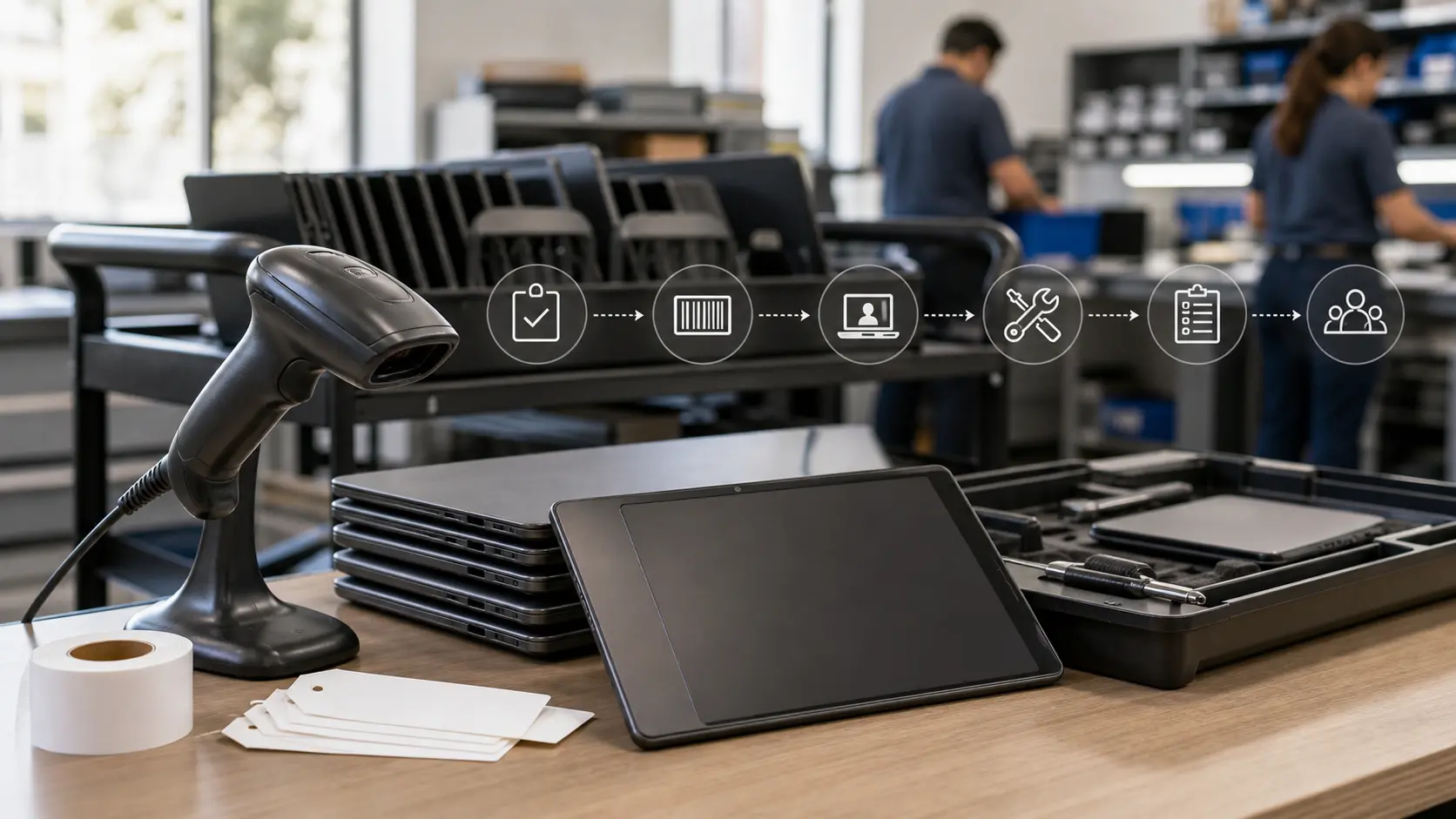
- Hayes Software Systems is best judged by whether Frontline Asset Management, formerly TIPWeb-IT, can create an accepted school asset record across purchase, barcode or RFID scan, student or staff assignment, repair, audit, transfer and retirement.
- The product evidence supports a serious K-12 operating workflow: audits distinguish missing, misplaced and verified assets; help desk tickets can carry asset history; APIs and MDM integrations reduce duplicate entry; role controls and receipts shape accountability.
- The commercial case remains conditional. Reduced loss, cleaner audits and faster support can matter, but the return depends on scan discipline, data cleanup, district integrations, staff training, hardware readiness and the willingness to reconcile exceptions instead of letting records drift.
The record is the product
The important thing about Hayes Software Systems is not that it sells school inventory software. A lot of systems can list devices, rooms, serial numbers and staff names. The sharper question is whether the record survives a school year. In K-12 technology operations, an accepted asset record has to remain credible after a device is unpacked, tagged, handed to a student, moved between classrooms, repaired, loaned again, audited, reported against a funding source and eventually retired or disposed of.
That is the burden Hayes inherited and Frontline now carries under Frontline Inventory & Help Desk Management and Frontline Asset Management, formerly TIPWeb-IT.
That distinction matters because school asset management is not a passive catalog. It is a daily control system for objects that move. A Chromebook can be purchased by a central office, delivered to a site, assigned to a student, swapped for a loaner, taken home, damaged, returned without a charger, scanned in the wrong room, left active in mobile device management, attached to a repair ticket and then counted in a finance report. A record that is correct at receiving can be wrong by the next bell schedule if it does not absorb those handoffs.
Hayes' accepted task is therefore narrow and demanding: move a school device or asset from purchase and deployment to an accepted inventory, assignment, repair or retirement record. The word "accepted" does a lot of work. It means the record is not merely present in software. It has enough evidence to be believed by the people who use it: technology staff, site administrators, finance teams, auditors, teachers, students and sometimes parents. It also means the system has a path for exceptions.
Missing assets, duplicate barcodes, room mismatches, funding-source restrictions and stale staff records are not edge cases in a district. They are normal operating conditions.
Frontline's current product page frames the system around streamlining inventory counts, managing assets across a district, distributing assets to staff and students, budgeting and reporting on federally funded assets, and using barcode or RFID technology for audits. Its help documentation shows a deeper operating model: site dashboards, administrative dashboards, initiated audits, missing and misplaced notes, quick collection, room-to-room transfers, site-to-site transfers, purchasing records, user roles, district preferences, API access, SSO and MDM synchronization. That is the right surface area for the problem.
The risk is assuming surface area equals reliability. In school asset management, reliability is the outcome of clean identifiers, disciplined scans, permission design, integration maintenance and supervision.
Hayes inside Frontline
Hayes Software Systems was acquired by Frontline Education in 2021. Frontline said at the time that Hayes' products included TIPWeb-IT, TIPWeb-IM and GetHelp, covering asset management, inventory control and integrated help desk capabilities for K-12 schools. The acquisition also placed Hayes' education-specific inventory lineage inside a larger school administration platform spanning student, business, human capital and analytics systems.
That ownership change is commercially relevant, but it should not be overread. The customer problem did not become simpler because Hayes entered a broader platform. If anything, the product became more exposed to the hard promise implied by integration. A district may expect asset records to connect with student information, HR, fixed asset, purchasing and mobile device management systems. Frontline's own product and help pages point in that direction.
The acquisition announcement described alignment with Frontline ERP, SIS and HR systems; current support pages discuss REST API access, SAML single sign-on, Microsoft Intune integration and Google Workspace MDM integration. Those features matter because school asset records are weakest where systems do not agree.
The acquisition also clarifies the brand boundary. Hayes is not a school district, a generic asset-management label or an unrelated Hayes-branded software business. It is the K-12 inventory, instructional material and help desk lineage now represented through Frontline's inventory and help desk products. The article's subject is that operational lineage: the software and workflow around K-12 assets, not the schools whose documents reveal how the system is used.
Hayes' historical specialization is an advantage if it remains visible in the product. General IT asset management tools can track laptops. General help desk systems can manage tickets. General finance systems can hold capital assets. K-12 districts, however, need a record that knows about students, staff, rooms, sites, grade transitions, school-year collection, funding-source compliance, instructional materials, district audits and school-level permissions. The more the product fits those repeated patterns, the less a district has to translate school operations into a corporate IT model.
From purchase to accepted inventory
The first test is receiving. A district buys equipment through purchase orders, grants, refresh programs or emergency funding. The asset record has to capture what arrived, what was tagged, where it was first placed, what it cost, how it was funded, what serial number or barcode identifies it, and whether it is available for issue. If that first record is weak, every later scan is trying to repair history.
Public product material for TIPWeb-IT describes a K-12 asset system built to report what a district owns, where items are located and how they are being used. The brochure also emphasizes life cycle visibility, audit readiness, underused-item transfer, accountability, funding-source tracking, asset value, depreciation, purchasing and refresh planning. Those claims align with the real operating burden. They do not by themselves prove loss reduction or return on investment, but they identify the right variables.
District documents make the receiving problem less abstract. Albuquerque Public Schools' public TIPWeb-IT guidance describes receiving an asset at a site, assigning a barcode number and placing the asset in a room, with the asset later assignable to staff, students or mobile labs. The same guidance covers purchase orders, barcode and serial searches, attachments, room transfers, issue and collection receipts, audits, donated assets, transfers to salvage and reports. That is not a decorative feature list. It is the sequence by which a device becomes an accountable object.
The accepted record has to be durable enough for a district to ask simple questions without starting a manual investigation: which asset is this, who has it, which room or site owns it, what funding source is attached, what condition is it in, what ticket history follows it, what status changes occurred, and what evidence supports the answer? If the system can answer only the first two questions, it is a catalog. If it can answer the chain, it is closer to an operational control system.
This is where Hayes' school focus matters. The same laptop can be an instructional device, a financial asset, an E-Rate-related item, a repair workload, a parent-accountability issue and a replacement-planning signal. The record has to hold enough structure for each office without becoming so burdensome that site staff avoid the system.
Scan fidelity is operational discipline
Barcode and RFID functions are easy to describe and hard to make dependable. A scan is only useful if the physical tag is present, readable, unique, associated with the right item and captured at the correct handoff. The best software cannot make a torn label scan, stop a staff workaround, or infer a device's true location when the last person to touch it skipped the transaction. What software can do is make the correct transaction fast enough, constrained enough and auditable enough that districts can build habits around it.
Frontline's help documentation shows several such constraints. The site dashboard exposes issue-to-staff, issue-to-students, print-tags, quick-collect, room-to-room and transfer functions. The administrative dashboard adds districtwide actions such as site audit initiation, status import, transfer history, purchasing, funding sources, users, vendors, report settings and integrations. Quick Collect is limited to assets currently issued to a staff member or student, and it can return an item to a room, move it to a transfer or apply a new status.
Room-to-room transfer cannot be used for assets assigned to another site or issued to a person; those require other workflows.
Those boundaries matter. A weak inventory tool lets a user edit a location field and move on. A stronger asset-control tool forces the user into the workflow that reflects what actually happened: room movement, person collection, site transfer, status change or disposal. The cost is extra clicks and training. The benefit is a record that explains the state change.
RFID can reduce scanning labor, but it changes the failure profile rather than eliminating it. The TIPWeb-IT with RFID app listing says districts can issue and collect assets, conduct audits with RFID or barcode readers, update tag numbers, associate or exclude RFID tags, add discovered assets and use either compatible RFID hardware, compatible barcode readers or a device camera. It also claims up to a 20 percent reduction in scanning time versus individually scanning asset barcodes.
That claim is plausible as a vendor statement about scanning mechanics, but it should not be treated as proof that a district's overall collection or audit labor falls by the same percentage. Real audits include room access, exception handling, wrong-site assets, missing tags, charging devices, staff coordination and reconciliation.
The practical point is that scan fidelity has two components. The first is hardware and workflow: labels, readers, mobile devices, network access and staff path through rooms. The second is governance: who is allowed to scan, who is allowed to reconcile, who can change status, who can cross site boundaries and who reviews exceptions. Hayes' software can support both. It cannot substitute for either.
Assignment state is where the record earns trust
K-12 asset records are unstable because people move. Students change classes, grades, schools and households. Staff change buildings. Devices move for testing, repair, loaner pools, summer collection and special programs. The record has to distinguish between a device being in a room, assigned to a student, assigned to a staff member, placed in transfer, collected to a room, sent for repair, marked lost or retired.
Frontline's public help material indicates that Asset Management separates these states. Site users can issue items in "In Use" status to staff or students. Quick Collect can collect assets that were issued to people. Staff records are commonly populated through a nightly student information or HR integration. A 14.1 release note describes staff inventory transfer scenarios triggered by nightly SIS or HR data, with outcomes that vary depending on outstanding charges, grade exclusions, product-type exclusions, status exclusions and open audit state.
That is important because school assignment state is not simply "owner equals person." A staff member can transfer campuses with a device. The device might move with the staff record, remain behind because of a status exclusion, appear on both sites because of an outstanding charge, or be removed from an audit because the person's record moved while the audit was open. Those cases sound small until a district tries to reconcile them at scale. They are exactly the kind of mess that makes an accepted asset record more valuable than a static inventory list.
Receipts also matter. Albuquerque's public TIPWeb-IT guide describes issue receipts and return receipts that can be signed and kept for records. The mobile release notes describe email receipts during issuance and collection, with student, staff or parent email data prefilled when available and updateable from the app. Receipts do not prove the device will come back. They create a handoff artifact that can support a later conversation about responsibility, repair charge, collection or replacement.
This is also where product adoption can fail quietly. If teachers or site staff find the issuance flow too slow, they may hand out devices first and update records later. If students do not have IDs, staff may choose a workaround. If family email data is stale, receipts may not reach the right person. If staff move campuses and the nightly feed is late or misconfigured, the assignment may be wrong before anyone audits it. The accepted record is therefore an operating practice, not a database entry.
Audits create evidence, not magic
Audit workflow is the center of the Hayes test. The question is not whether the system can produce an inventory report. The question is whether the report has been tested against physical reality. Frontline's audit documentation describes site or district initiated audits that scan tags associated with rooms, staff and students to identify missing or misplaced items and validate records.
It explains that an initiated audit begins by treating each included asset as missing in its recorded location; scanned tags then become verified, found or misplaced depending on where they are scanned, while unscanned tags remain missing until reconciliation is complete.
That model is strong because it treats absence as a finding, not silence. In many manual processes, the assets found in a room are counted, while unscanned expected assets become tomorrow's problem. A system that starts with expected records and forces reconciliation around missing and misplaced items creates a clearer evidence trail. It also surfaces assets not yet in the system, because room initialization and new product creation can occur during an audit.
However, the audit is only as good as the district's field execution. DC Public Schools' 2024 solicitation for a comprehensive inventory of approximately 80,000 to 100,000 technology assets across 117 campuses shows the real scale of the job. The contractor was expected to locate and scan in-scope assets, reconcile them in TIPWeb-IT, capture data for new assets, apply missing barcode tags, upload required details such as site, asset tag, asset type, product type, product name, model, serial number, location and the name of the person conducting inventory, and provide reports showing full inventory, verified assets and missing assets.
The same document required experience performing audits using Frontline TIPWeb-IT.
That solicitation is revealing because it separates the software from the work. Even with an asset system in place, a large district may need a contractor, handheld scanners, campus access, schedules, local points of contact, escalation paths, barcode replacement, data capture and report review. The software is the control plane. The inventory is still physical work.
Chicago Public Schools' public contract material with an inventory services provider makes the same point from a different angle. It describes the need for unobstructed access to rooms, carts and closets; master keys or custodial support; reliable Wi-Fi in all areas containing assets; location and department signage in human and barcode-readable form; and reconciliation after onsite work, with data conversion updating TIPWeb-IT. Those requirements are not software features, but they determine software truth.
If rooms are mislabeled, closets are locked or Wi-Fi fails in the area where devices sit, the accepted record can lag the actual building.
Frontline's separate missing and misplaced audit note says site users can add information for the district to use during reconciliation, while administrative-created audits keep reconciliation control at the district level. That separation is sensible. Site staff may know why a device appears in the wrong room. District staff may need to decide whether the record should be changed, the audit finding should stand, or the asset should remain missing. Good workflow lets both kinds of knowledge exist without turning every site user into an unrestricted district record editor.
Repair work decides whether inventory becomes useful
Asset records become more valuable when they are tied to support. A device record that says "assigned to student" is useful. A device record that shows serial number, location, assignment and ticket history is more useful when a technician has to decide whether to repair, swap, charge, retire or replace it. Frontline's help desk product page says Help Desk integrates with Asset Management so technicians can view details such as who a device is issued to, serial number and complete ticket history. It also describes custom workflows, ticket fields, routing rules, repair parts inventory, knowledge base support and reports.
This integration is commercially important for Hayes because school device support is repetitive. A district is not merely counting laptops. It is managing cracked screens, dead batteries, missing chargers, keyboard failures, loaner swaps, parent communications, warranty checks and refresh planning. If the help desk and asset system are disconnected, technicians may fix devices without updating inventory state, or inventory staff may mark a device as present while repair staff know it is unusable. The accepted record requires those views to converge.
Release notes for Help Desk and Asset Management also point toward parts inventory and mobile ticketing. The mobile app documentation describes dashboard charts, filters by product type, funding source, status and date range, site transfers, outstanding tags to receive, inventory statistics, tag distributions, tag status over time and help desk ticket filters. The promise is not that every district will use every chart. It is that field staff can work from the places where assets move, rather than waiting to return to a desktop.
But repair integration adds another burden: data hygiene. Ticket categories, problem types, service groups, parts catalogs, device statuses and closure rules all need local configuration. A help desk ticket that says "broken laptop" is less useful than a ticket attached to a specific asset with a serial number, assignment, history, charge rules and disposition. If technicians close tickets without updating asset status, the two systems drift. If parts are consumed without being tracked, repair cost visibility weakens. If custom fields proliferate without governance, reports become noisy.
The value of integrated help desk is therefore strongest when the district uses the asset record as the repair record's spine. The ticket should pull the device context, and the repair outcome should update the asset's state. If that loop is disciplined, Hayes' lineage gives technology teams a better view of device life. If not, the system becomes two adjacent tools.
Integrations reduce typing and increase responsibility
Frontline's public documentation identifies several integration paths: REST API access to Asset Management, SAML SSO, Microsoft Intune MDM integration, Google Workspace MDM integration and district data imports. These are not optional luxuries for larger districts. They are how an asset-management system avoids becoming the latest place where staff retype data that already exists somewhere else.
The REST API documentation says districts can use programmatic access to instructional materials and asset data for integrations and large-scale operations, including retrieving, updating and managing records. It also warns that API actions affect the live environment immediately, that changes are permanent and cannot be undone, and that users need familiarity with development, web services and the Asset Management interface. This is a mature warning. APIs can clear backlogs and connect systems, but they can also cause fast damage if credentials, matching logic or batch updates are wrong.
MDM integrations address a different weakness. A mobile device management system may know a Chromebook or tablet's device name, operating system, MAC address, last seen date and management status. The asset system may know who received it, what funding source paid for it, what room or school claims it, what ticket history follows it and what audit state exists.
Frontline's Microsoft Intune integration documentation says version 15.3 imports device properties through the Microsoft Intune API, runs a nightly read-only sync, matches devices by serial number, allows on-demand sync and maps fields into the tags grid, tag information modal and reports. The Google Workspace MDM guide describes nightly pulls from Google Admin Console and optional disable or re-enable actions in Google based on Asset Management tag status changes.
Serial-number matching is sensible, but it is not magic. It relies on serial numbers being present, normalized and unique across systems. Device replacements, repaired motherboards, data-entry mistakes and reused tags can break confidence. A district that wants MDM sync to strengthen asset records must treat identity matching as a maintained control, not a one-time setup.
SSO and user roles bring a similar tradeoff. SAML support can reduce login friction and connect access to district identity infrastructure. User-role documentation and district-wide preference settings show that administrators can limit who adds students from other sites, associates tags with purchase orders, creates room audits, initiates or receives tags, quick-collects another site's assets, reconciles audits, ships transfers, approves transfer receipt, captures digital signatures and uses the API. Those controls are essential because an asset record touched by too many unconstrained users will become convenient but unreliable.
The burden is that every integration increases operational responsibility. Credentials expire. MDM APIs change. Student and HR files arrive late. Site codes change. Staff roles shift. A district that buys asset software still needs someone accountable for integration health.
The supervision cost is real
Hayes' value proposition is often framed around less time, fewer losses and cleaner reports. Those outcomes are possible, but they are not free. The real cost stack includes software fees, implementation, barcode or RFID hardware, tag printing, data conversion, SIS or HR mapping, MDM setup, staff training, audit staffing, report review, exception reconciliation, support management and periodic cleanup.
The supervision cost is easy to underestimate because individual transactions are small. A barcode scan takes seconds. Issuing a receipt takes a moment. Collecting a charger during summer checkout sounds routine. But districts repeat these actions across thousands or tens of thousands of assets. The question is not whether one transaction is hard. It is whether the system makes the correct transaction easier than the workaround.
DCPS' public inventory solicitation shows that even a district using TIPWeb-IT may need external labor to conduct a full physical inventory. Chicago's contract material shows that onsite inventory depends on district preparation, Wi-Fi, room access and signage. Frontline's own end-of-year collection guide says collection processes vary by district and require clear planning, efficient workflows and communication with students, staff and families. These are labor costs that software can organize but not erase.
Training is also a recurring cost. Staff turnover means the district must teach new site administrators, technicians and central-office users how to issue, collect, scan, reconcile, transfer, report and interpret exceptions. School calendars create bursts of work: beginning-of-year deployment, midyear device swaps, testing windows, summer collection and refresh cycles. A system that is dormant for months can still be critical during peak weeks, which means training cannot be a one-time implementation event.
Supervision also means deciding what not to automate. District-wide preference settings let administrators restrict cross-site student additions, quick collection of another site's assets, audit reconciliation and transfer approvals. Those restrictions can frustrate users who want speed, but they protect record quality. A district that gives broad permissions to avoid tickets may reduce short-term friction while increasing long-term reconciliation labor.
The commercial question is whether the value of cleaner records exceeds this full stack. For some districts, the answer can be yes. If a district has expensive one-to-one devices, large federally funded equipment pools, annual audit pressure, weak inventory history, frequent repairs and no reliable assignment trail, even modest improvements can matter. For smaller districts with simpler device programs and disciplined existing processes, the case may depend more on integration fit and support workload than on the inventory module alone.
Failure modes are predictable
The known failure modes for Hayes' category are not mysterious. They are stale asset location, duplicate barcode, missing assignment, repair ticket drift, audit export mismatch, funding-code confusion, staff workaround and district integration gap. Public evidence around school technology audits shows why these are serious.
Education Week reported on New York State Comptroller audits of 20 districts in which more than 20 percent of selected information technology assets were not properly accounted for. The report described devices that could not be located, records that did not match physical reality and the difficulty of tracking assets that move with students.
A separate New York State Comptroller audit of Randolph Central School District found incomplete records, missing or incorrectly located assets, no annual inventory during the audit period and recommendations to maintain detailed records including make, model, serial number, assignment, physical location, purchase or lease details, cost, depreciation and acquisition date.
Those findings are not about Hayes specifically. They are evidence of the operating environment Hayes serves. A district can own an asset system and still fail if records are not maintained, audits are not conducted or staff do not update locations. A district can also have mobile device management and still lack a reliable record of who has a device, what funding source paid for it and whether a repair or charge is pending.
E-Rate rules raise the stakes for some assets. USAC guidance says applicants must maintain accurate asset and inventory records for E-Rate funded equipment and locations for 10 years after purchase, with details such as make, model, serial number, installation date, location, funding request number and transfer records. A 2024 Federal Register order on off-premises Wi-Fi hotspots also emphasizes detailed asset and service inventories for school participants receiving support, including equipment make/model, serial number, the person to whom equipment was provided, dates loaned and returned or missing, lost or damaged, and service details.
These requirements make the asset record a compliance object, not just an IT convenience.
Funding-code confusion is especially risky because schools often buy devices with mixed sources: local funds, grants, federal programs, bond proceeds or special allocations. Frontline's product material and dashboard documentation include funding sources and reporting. That is necessary. It is also a place where a small data mistake can persist into an audit, a transfer decision or a replacement plan.
Repair ticket drift is another common failure. If a device is marked assigned but is actually in repair, the district may believe a student has equipment that has been swapped out. If the repair ticket closes but the asset status remains "In Repair," the device may sit unused. If a technician swaps a device without collection and issuance records, both the repair and assignment trails weaken. Integrated help desk can reduce this drift only if technicians close the operational loop.
Where the product evidence is strong
The strongest public evidence for Hayes' current product is not a claimed customer result. It is the specificity of the workflow documentation. Frontline and legacy Hayes documents describe the tasks a real district has to perform: issuing assets to staff and students, collecting them back, room and site transfers, audit status, receipts, attachments, purchasing, reports, tag exports, dashboard filters, role permissions, parts, help desk tickets, API access, MDM sync and SSO.
This specificity matters because generic asset systems often fail at the school boundary. They can track devices, but not school-year distribution. They can assign owners, but not handle family receipts, staff transfers, grade exclusions or district initiated audits with site notes. They can host APIs, but not necessarily fit SIS or HR feed habits. Hayes' software appears to have been shaped by those K-12 details.
The second strong point is the record of public district use. DCPS identifies TIPWeb-IT as its IT inventory management system in a public procurement document. Albuquerque Public Schools published operational guidance for principals. Dallas ISD public materials appear in search results as a 2024 TIPWeb-IT asset-management admin reference. Chicago Public Schools contract material discusses reconciliation into TIPWeb-IT. These examples do not prove universal satisfaction, but they show the system has been used in large, real school-district environments with the kinds of assets and workflows at issue.
The third strong point is that Frontline has continued to extend the product. Public help pages and release notes cover versioned enhancements, mobile app updates, Intune integration, Google MDM integration, REST API access and staff inventory transfer scenarios. That matters because school device operations changed dramatically after one-to-one programs expanded. A system frozen in a pre-pandemic textbook-inventory model would be less credible.
The evidence is weaker on measured outcomes. Public vendor pages and app listings describe reduced losses, faster scanning, confidence in audits and better reporting. Those are plausible benefits, but they are not the same as audited before-and-after proof. Public review material includes individual positive user comments and daily-use claims, but those are self-reported and not controlled studies. A buyer should ask for district references that resemble its scale, integration environment and audit burden.
The customer result boundary
A district should not buy Hayes' product lineage because it wants "inventory-screen coverage." It should buy only if it needs a governed asset record that multiple teams can trust. The product can support that result, but it cannot create it alone.
The customer result boundary is clear. Frontline Asset Management can structure item identity, location, assignment, status, funding source, audit state, transfer history, user permissions, API access, MDM fields and help desk context. It can make it easier to scan devices, issue and collect receipts, find missing and misplaced assets, produce reports and integrate with related systems. It can reduce duplicate entry if integrations are configured and maintained.
It cannot guarantee that every device is tagged, every scan occurs, every room is accessible, every staff member follows process, every student returns a charger, every MDM field matches, every purchase order is clean, every funding source is coded correctly or every audit exception is resolved. It also cannot guarantee financial return without knowing the district's asset volume, replacement cost, loss history, repair workload, staffing model, subscription price and implementation state.
This boundary is not a criticism. It is the honest shape of school operations software. The best systems make disciplined operation possible and cheaper. They do not remove the need for discipline.
For buyers, the due-diligence questions should follow the record. How are duplicate barcodes prevented or repaired? How does the system handle a device scanned in the wrong room during an open audit? What happens when a staff member moves sites while assigned inventory is on an audit? How are outstanding charges represented across sites? What MDM fields sync, which do not, and how are serial-number mismatches surfaced? How does the API prevent damaging batch updates? Which permissions should site staff have, and which should remain district-level? How are funding-source restrictions enforced during transfers?
How are repair parts tied to tickets and asset state? What reports satisfy finance and audit needs without manual spreadsheet cleanup?
The answer to those questions decides whether Hayes is a control system or another place to store stale data.
Unit economics depend on avoided mess
The economic case has three main benefits: avoided loss, avoided labor and avoided audit pain. Each has limits.
Avoided loss is the easiest to understand. If a district can hold students, staff and sites accountable for devices, recover more equipment, identify missing assets earlier and redeploy underused inventory, it can reduce replacement purchases. But the savings are not equal to the value of every asset tracked. Some losses would have been recovered anyway. Some damaged devices still require replacement. Some low-cost assets may cost more to track tightly than to replace. The economic question is marginal: how much loss does the system prevent above the district's current process?
Avoided labor can be substantial but is often moved rather than eliminated. A barcode scan can be faster than a spreadsheet update. An API feed can reduce double entry. MDM sync can keep device fields fresher. Integrated help desk can reduce technician search time. But the district still spends time on setup, exception handling, integration monitoring, audit reconciliation and training. Software shifts labor from ad hoc searching to structured control. That is good if the structured work is lower-cost and more reliable. It is disappointing if staff see only new steps without seeing fewer end-of-year crises.
Avoided audit pain is real where funding sources and public accountability matter. E-Rate and local policies require asset records for funded equipment. Chicago's public asset policy defines recording, inventorying, maintaining and disposal requirements and covers walkable technology assets such as tablets, Chromebooks and mobile phones. USAC and FCC materials show that asset and service inventories can be requested and that failures can carry financial consequences. In that context, a better record can protect more than device value. It can protect funding, trust and administrative time.
Costs are equally concrete. The software subscription is only the visible part. Districts may need barcode labels, RFID tags, compatible readers, mobile devices, Wi-Fi coverage, data cleanup, configuration, SSO setup, API development, MDM rights, staff hours, contractor audits and local governance. If the district already has a mature help desk, MDM and finance asset system, Hayes must justify why its school-specific record reduces enough friction to offset another platform. If the district has weak current controls, the case may be stronger, but only if leadership commits to process adoption.
The best economic framing is therefore not "inventory software saves money." It is "accepted asset records reduce avoidable replacement, search, audit and support costs when the district runs the workflow with enough discipline."
Realistic substitutes
Hayes competes not only with other school asset-management products but with habits. The realistic substitutes include spreadsheets, library or textbook systems, fixed-asset modules, MDM alone, general IT service management tools, general inventory systems, other K-12 platforms and outsourced physical inventory services.
Spreadsheets are cheap and flexible, but they are weak at concurrent updates, scan history, permissions, receipts, attachments, audit reconciliation and integration. They work until device volume, staff turnover or audit pressure exceeds local discipline.
Library and textbook systems can handle check-out logic, but they may not represent device repair, funding source, MDM state, site transfers, serial-number identity or district asset accounting well enough for technology operations.
Fixed-asset finance modules can satisfy capitalization and depreciation needs, but they often miss the day-to-day location and assignment reality of mobile devices. A finance system may know a device exists; it may not know which student has it today, whether it is cracked, whether a charger is missing, or whether it is on an open audit.
MDM alone is a partial substitute for device visibility. It can show last seen data, OS version, enrollment and management state. It may disable or wipe devices. But MDM typically does not carry the full school asset record: funding source, receipt, assignment history, room audit, purchase order, repair ticket and disposal evidence. The strongest setup may combine MDM truth with Hayes' operational record, but only if serial-number matching and field governance are reliable.
General IT service management tools can manage tickets and assets, but schools have workflows that corporate IT tools do not always model cleanly: students, guardians, grade movements, classrooms, campuses, summer collection, grant-funded devices, textbooks and instructional materials. A general tool can be configured, but configuration has its own cost.
Other K-12-specific systems may be credible competitors, particularly where districts want a modern help desk and asset platform together. The right comparison is not feature count. It is record acceptance: which system gives the district the most trustworthy handoff trail with the least sustainable labor?
Outsourced inventory services are not full substitutes either. They can establish or clean a baseline. They cannot maintain the record after devices move unless the district's daily workflow is strong. The DCPS and Chicago examples show that contractor work may be part of an asset program, not a replacement for one.
The judgment
Hayes Software Systems' legacy is commercially interesting because it occupies an operational layer that became more important as schools expanded one-to-one devices and remote-capable instruction. The problem it addresses is not glamorous, but it is expensive when ignored. Missing laptops, bad assignment records, stale locations, unclear funding codes, repair drift and weak audit evidence all create costs that appear in other places: replacement budgets, staff overtime, angry collection windows, finance cleanup, audit findings and delayed support.
The product evidence supports the conclusion that Frontline's Hayes lineage is pointed at the right operational task. It has the school-specific structures an accepted asset record needs: issue and collection, room and site movement, audit findings, missing and misplaced handling, receipts, funding source awareness, role controls, help desk integration, parts context, API access and MDM synchronization. Public district documents show the system in real district settings, including large-scale asset audits.
The caution is equally important. Hayes is not proved by screenshots, product breadth or a vendor claim that inventory becomes easier. It is proved when a district can trust the record after a messy semester. That requires scan fidelity, ownership-state discipline, repair workflow closure, audit reconciliation, integration maintenance and leadership support for process rules that may slow users down in the moment.
For a district with weak asset records, a large device fleet and recurring audit or collection pain, Hayes' current Frontline product can be a serious candidate. For a district seeking a light catalog or hoping software alone will fix staff behavior, it will disappoint. The accepted school asset record is the test. If the record is believed by technology, finance, school sites and auditors after the device has moved through real hands, Hayes has done something valuable. If not, it is just another list of things the district once owned.