Summary
- Stardust@home opened its public search in August 2006, letting volunteers move through microscope images at different depths with a mouse.
- Known calibration views, repeated searches and expert review gave the team's distributed observations a method; a careful empty result had a place in it.
Somewhere inside a browser, a volunteer could spend a perfectly useful stretch of time looking for space dust and finding nothing. There was a button for that.
Stardust@home's virtual microscope offered a separate button when the image could not be focused well enough to search. Anyone who has squinted at a disappointing photograph can appreciate the courtesy. Here, that distinction also helped a scientific team understand what its volunteers had actually seen.
A spacecraft brought the samples; a browser brought the looking
NASA's Stardust capsule returned material to Earth in January 2006. The task facing the team included locating tiny interstellar dust tracks in aerogel, the light material used to catch fast-moving particles. The collector stayed under laboratory care at Johnson Space Center. Volunteers would inspect digital views of it.
Preparing those views was troublesome. In the University of California at Berkeley's July launch announcement, project director Andrew Westphal described an aerogel surface rougher than expected. That made focusing the automated scanner difficult. Even a dust hunt with a spacecraft behind it could be held up by a bad picture.
The public search opened on 1 August 2006. Volunteers worked through a tutorial and a test before joining the search. The online instrument put a small, repeatable piece of the laboratory task within reach of someone at home.
A mouse became a focus knob
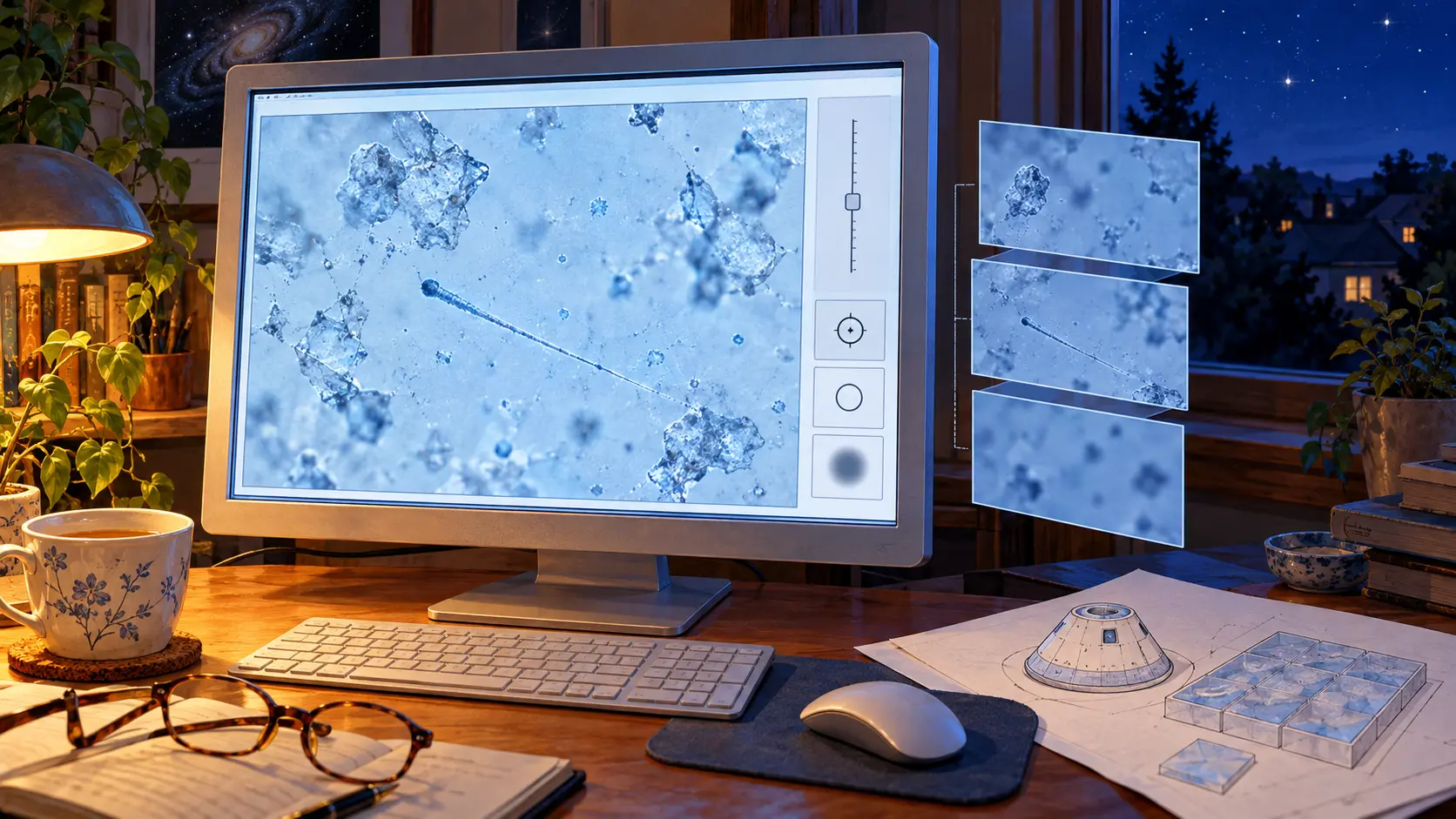
The team's 2007 research paper describes how the instrument worked. An automated microscope collected images at a series of depths through each patch of aerogel. Those stacks became focus movies. In the browser, moving the mouse along a slider stepped through the images, mimicking the act of focusing a microscope.
The interface ran in HTML and JavaScript. A volunteer could use it through a web browser without installing a separate search application. Behind the display sat the less glamorous work of scanning, archiving, separating frames, compressing images and delivering them over the network.
The response choices mattered. A promising feature could be clicked and confirmed, preserving its position in the view. A searched view with no feature received a no-track response. An inadequate focus range received a bad-focus response. Each action carried a different piece of information back to the team.
That third choice was especially thoughtful. The volunteer could tell the organisers that the material itself needed attention. Looking harder has its limits when the image never reaches the necessary focus.
Some dust had been put there for practice
The researchers also needed to learn how reliably people searched. Their 2007 account describes calibration images mixed into the stream. Volunteers knew such images existed, while the identity of any particular calibration view remained hidden during inspection.
Some were known empty views. Others contained a digitally inserted track image derived from a laboratory impact. These examples let the team measure both the ability to spot a track and the ability to recognise a blank field correctly.
Several people searched the same view. Promising fields identified through agreement then went to four researchers at Berkeley for review. The paper described higher-magnification examination as the next step. A click entered a chain of work that eventually had to return to the physical collector.
The participants called themselves dusters. The 2007 paper listed 20,064 of them collectively alongside the research team, and reported more than 30 million searches by 12 December 2006. A modest household word had acquired an unusually distant workplace.
This was a useful achievement of the early browser: it gave distributed attention a shape. The hand on the mouse could mark a possible find, complete an empty search or report a view that needed fixing. Each answer helped someone decide what to do next.
Sources
Member Briefing
Deeper Profile Context
Sign in with the right membership level to unlock the full briefing and source notes.
Only for Strategic Circle
Strategic Circle
Open to all readers. Unlock profile briefings after joining and signing in.
Join Strategic CircleOnly for Leadership Alliance
Leadership Alliance
For qualified IP-asset owners and management; sign in to unlock alliance briefings.
Join Leadership Alliance