Summary
- W3C published its first
picturedraft in February 2013 alongside responsive-image use cases developed with the Responsive Images Community Group. - Modern HTML gives publishers two useful levers:
srcsetandsizesfor resolution candidates, andpicturewithsource mediafor deliberate changes in composition.
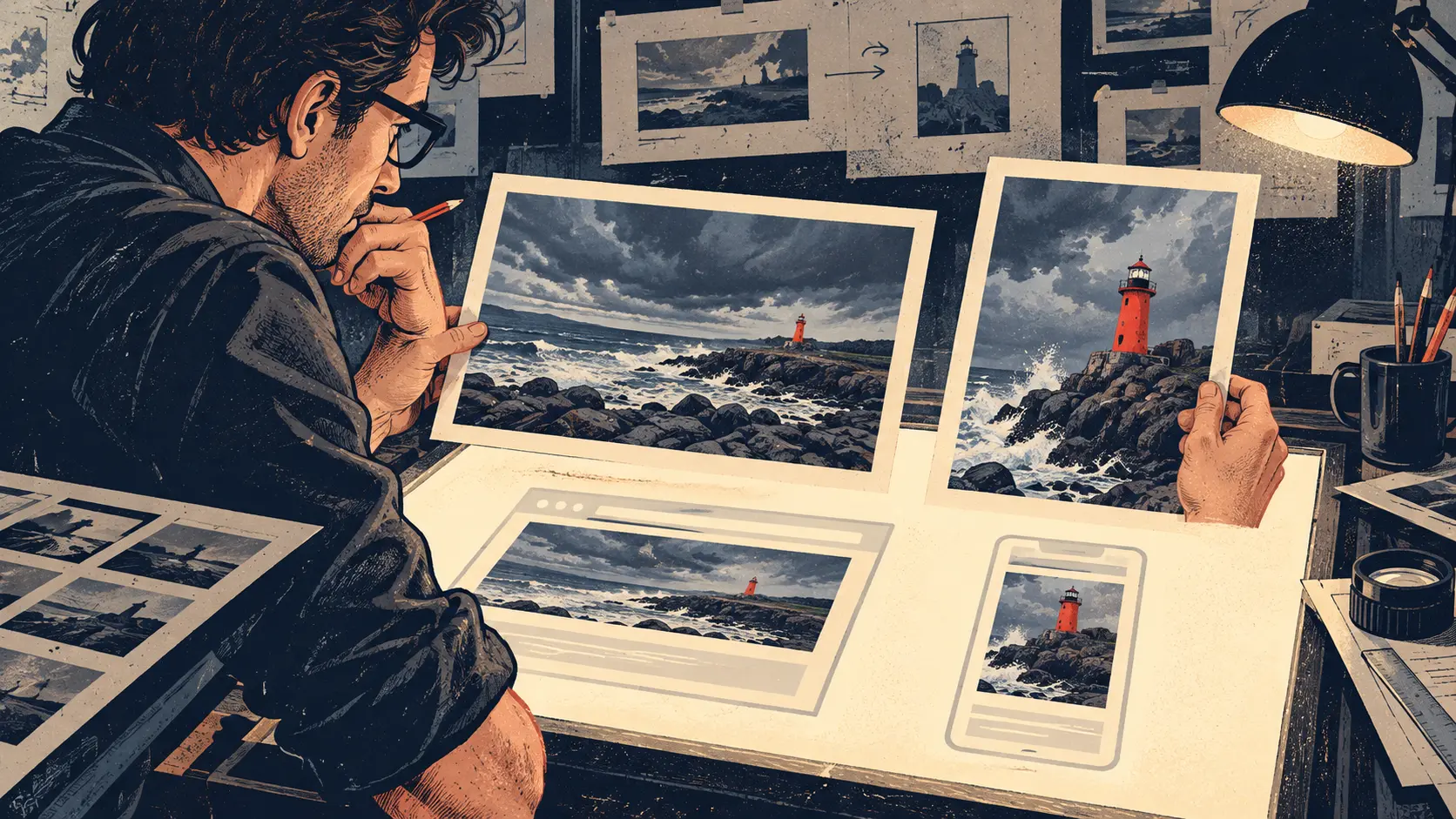
The photograph looks splendid across a desk monitor. Sea, sky, a red lighthouse the size of a thumbnail. Then the layout narrows to a phone. The browser can shrink the file faithfully and still leave the lighthouse as a red pin on a blue carpet. Every pixel arrived; the point of the picture missed the train.
A newspaper picture editor would crop closer. Early responsive web pages needed a way to hand that editorial instruction to the browser while leaving the browser room to choose a suitable file. CSS could rearrange the page, but the image in an ordinary img src remained a single source. A script could swap URLs later; the browser needed to start fetching images early. The problem lived at the meeting of layout, network timing and the stubborn fact that a human eye cares where the subject is.
On 26 February 2013, the W3C HTML Working Group announced two First Public Working Drafts: a proposed picture element and a companion account of responsive-image use cases. Both emerged with the Responsive Images Community Group. That pairing matters. The group brought a practical nuisance to a standards table: the same image file did not serve every screen equally well, and “smaller” could mean either fewer pixels or a different photograph of the same scene.
The 2013 picture draft described an image container whose source could be determined by CSS media queries. The proposal placed source choices in markup, where the browser could see them while parsing the page. Its precise syntax was still under discussion; the durable idea was to let the page declare candidates and conditions in advance. The browser would make a choice at the moment it knew the viewing environment.
The companion W3C use-case record drew a distinction that still saves arguments in design meetings. One job is resolution switching: offer the same visual composition at sizes suitable for different display densities and layout widths. Another is art direction: preserve the subject when the available shape changes. A wide group photograph might become a closer portrait of its speaker. A landscape lighthouse might need the sea trimmed away. Sending a smaller copy of the wide frame only makes the tiny subject sharper at being tiny.
The current WHATWG HTML images chapter puts those jobs in different parts of the markup. For resolution candidates, img srcset can list files with pixel-density descriptors. Where the rendered image width follows the viewport, srcset width descriptors work with sizes to tell the browser roughly how much room the image will occupy. The browser can then consider display density, zoom and other conditions as it selects among the declared resources. The author provides the menu and the seating plan. The browser orders dinner.
Art direction uses picture and its source children. A source can carry a media condition and candidate URLs. The browser walks the sources, takes the first applicable condition and chooses a resource from that source's set. The nested img supplies the image element and fallback. The editor can offer a broad coastal composition for a wide display and a closer lighthouse crop for a narrow one. The page does not need to instruct a browser to perform a miraculous automatic crop; the crops already exist.
This division of labor is easier to see when the two changes arrive together. A narrow screen may receive a close crop, and that close crop may itself have several resolutions. The source choice answers which composition? Candidate selection answers which file of that composition? Treat them as separate questions and a site can keep the subject visible without shipping the largest file to every pocket.
The img still carries the text alternative. That small point is editorial rather than ornamental. If the image is the lighthouse, the alternative text should describe the image's role for the reader across the offered crops. A candidate system that keeps the subject in view also needs a stable meaning for people who receive its text instead of its pixels.
One can see the history in the markup's modesty. W3C's 2013 documents recorded frustration with pages that had learned to stretch and fold while their images remained inflexible. The later HTML pattern gave the photographer and editor a place to put their judgment, then let the browser do the routine selection. The lighthouse returned to the phone because somebody had chosen a better frame before the phone asked for it.
Member Briefing
Deeper Profile Context
Sign in with the right membership level to unlock the full briefing and source notes.
Only for Strategic Circle
Strategic Circle
Open to all readers. Unlock profile briefings after joining and signing in.
Join Strategic CircleOnly for Leadership Alliance
Leadership Alliance
For qualified IP-asset owners and management; sign in to unlock alliance briefings.
Join Leadership Alliance