
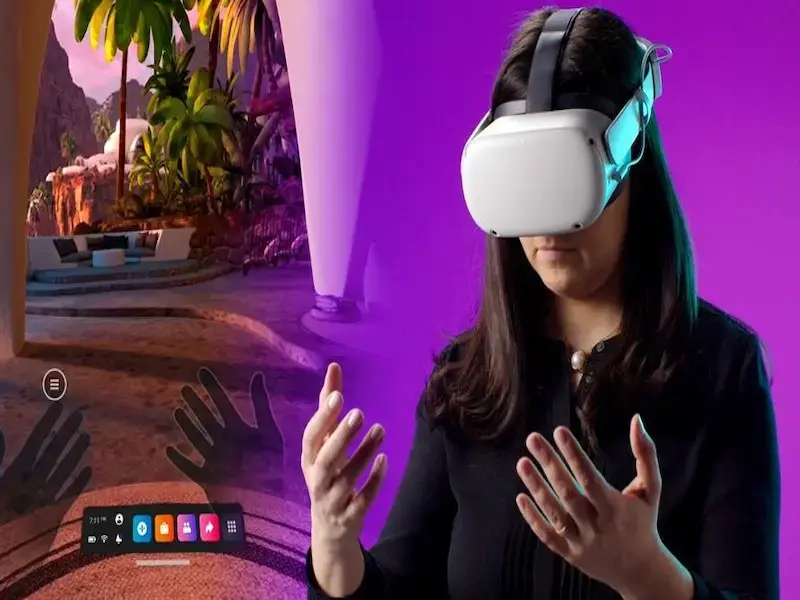
- Meta’s new HDMI Link app enables Quest headsets to display output from any HDMI or DisplayPort device, enhancing versatility.
- Users need a UVC-compatible capture card and USB-C cable for connection, offering a reliable option when Wi-Fi is unavailable.
OUR TAKE
The introduction of the HDMI Link app greatly enhances the capabilities of Meta’s VR headsets, allowing users to seamlessly connect various devices. This feature extends the usefulness of the headset beyond gaming and immersive experiences, catering to those who need a larger screen for work or play. The application of this program is a valuable addition to the Meta ecosystem.
–Lily,Yang, BTW reporter
What happened
Meta has launched the Meta Quest HDMI Link app, designed for its Quest 2, Quest 3, and Quest Pro headsets. This innovative application allows users to connect any HDMI or DisplayPort device and stream its output directly to their VR headset.
Available for download on Meta’s App Lab, HDMI Link provides an immersive way to watch videos, access computer content, and play games. To use this feature, users must have a compatible UVC and UAC capture card, along with a USB-C cable to link the card to the headset.
While wireless options such as Quest Air Link and Xbox Cloud Gaming remain available, HDMI Link offers a practical solution in environments with limited Wi-Fi access. It also enables connections to devices that typically wouldn’t be compatible with Meta Quest headsets, broadening the usability of these VR devices.
Also read: Play Myst VR and Ragnarock free on Meta Quest+ in August
Also read: What is WIMI Hologram Cloud? VR frontier, providing immersive holographic experiences
Why it’s important
The launch of the Meta Quest HDMI Link app marks a major evolution in the capabilities of VR headsets, transforming them into multi-functional tools capable of accessing a wide range of digital outputs. This enhancement is particularly beneficial for users in areas where Wi-Fi is unreliable or non-existent, providing another way to enjoy a multimedia experience.
By expanding compatibility with multiple devices, Meta is meeting user needs beyond gaming, appealing to professionals and creators who need larger screens to increase their productivity.
While HDMI Link adds value to the Meta ecosystem, it competes with existing wireless solutions that prioritize convenience. And the necessity of additional hardware, such as capture cards, may deter some potential users looking for a simple setup. For Meta, ensuring ease of use to maximize user engagement remains critical.