Close Menu
  • Home
  • Leadership Alliance
  • Exclusives
  • History of the Internet
  • AFRINIC News
  • Internet Governance
    • Regulations
    • Governance Bodies
    • Emerging Tech
  • Others
    • IT Infrastructure
      • Networking
      • Cloud
      • Data Centres
    • Company Stories
      • Profile
      • Startups
      • Tech Titans
      • Partner Content
    • Fintech
      • Blockchain
      • Payments
      • Regulations
    • Tech Trends
      • AI
      • AR / VR
      • IoT
    • Video / Podcast
  • Country News
    • Africa
    • Asia Pacific
    • North America
    • Lat Am/Caribbean
    • Europe/Middle East
Facebook LinkedIn YouTube Instagram X (Twitter)
Blue Tech Wave Media
Facebook LinkedIn YouTube Instagram X (Twitter)
  • Home
  • Leadership Alliance
  • Exclusives
  • History of the Internet
  • AFRINIC News
  • Internet Governance
    • Regulation
    • Governance Bodies
    • Emerging Tech
  • Others
    • IT Infrastructure
      • Networking
      • Cloud
      • Data Centres
    • Company Stories
      • Profiles
      • Startups
      • Tech Titans
      • Partner Content
    • Fintech
      • Blockchain
      • Payments
      • Regulation
    • Tech Trends
      • AI
      • AR/VR
      • IoT
    • Video / Podcast
  • Africa
  • Asia-Pacific
  • North America
  • Lat Am/Caribbean
  • Europe/Middle East
Blue Tech Wave Media
Home » Google launches Gemini AI model for Google Ad creation
Gemini-Ads
Gemini-Ads
Tech Trends

Google launches Gemini AI model for Google Ad creation

By Chloe ChenFebruary 23, 2024No Comments3 Mins Read
Share
Facebook Twitter LinkedIn Pinterest Email
  • Google introduces Gemini, its advanced AI model, into Google Ads, launching a chatbot to enhance ad creation.
  • The chatbot, based on Gemini, assists in generating relevant ad content and optimising search campaigns.
  • It leverages AI to suggest terms based on trending searches, aiding advertisers in targeting their audience effectively.

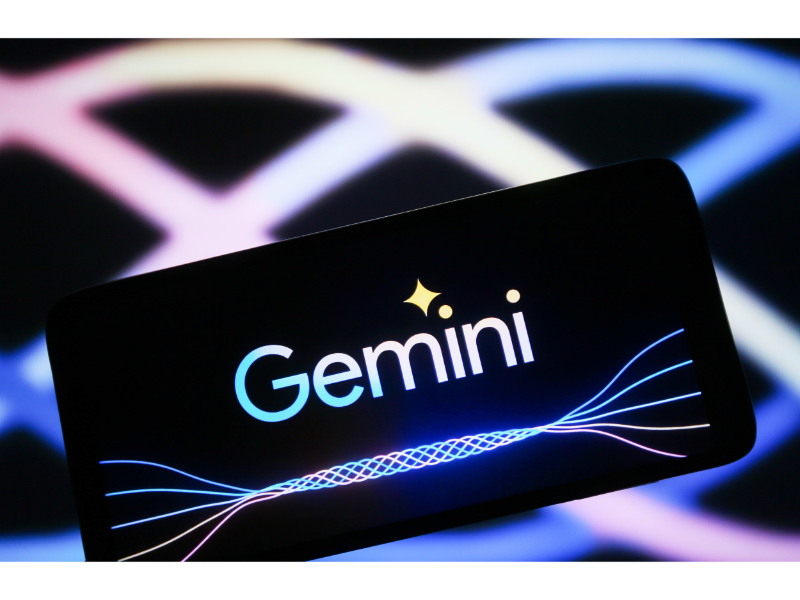
Google is introducing its advanced generative AI model Gemini into Google Ads, launching a dedicated ad assistant chatbot aimed at enhancing the ad creation process. This aims to provide Google advertisers with chat-based experiences, leveraging conversational AI and Google’s expertise in search activity.

The new Gemini-based chatbot will be accessible on the right side of the Google Ads Editor screen, allowing users to interact with it by asking questions and seeking advice to improve their ad approach. By combining user expertise with Google’s AI, the chatbot assists in generating relevant ad content (including creatives and keywords) to help create optimised search campaigns.

AI could address the complexities of SEO

Demand for search engine optimisation (SEO) and search intent optimisation may be highly complex, and with Google’s AI capabilities, the chatbot can suggest the most appropriate terms based on trending searches and user behaviour. For example, advertisers can request variations in their ad copy, and the chatbot will identify more specific matching language consistent with search interests. Additionally, users can request additional ad headlines to optimise their Google Ads by referencing successful ad cases tailored for their specific products in Google’s database. The new chatbot is expected to provide valuable assistance in identifying the right target terms. Whether these changes will encompass both short-tail and long-tail matches to effectively expand ad approaches remains to be seen.

Also read: Google’s Bard chatbot gets the Gemini Pro update globally

Users can generate custom visual effects

Google is also introducing a visual element, allowing users to generate custom visual effects based on images from their product landing pages or create full images in-stream. All images generated by generative AI in Google Ads, including the conversational experience, will be labelled as such. Google is using SynthID to add invisible watermarks to these images and includes open standard metadata indicating they were generated by AI.

Considering the complexity of SEO optimisation, generative AI can serve as an ideal assistant as it can extract from Google’s vast trend data database to highlight terms most relevant and frequently searched for a specific product. While advertisers can conduct this research independently, the Google Ads Assistant tool aims to reduce legwork by quickly finding the best keyword matches and target queries, allowing users to focus on niche opportunities.

advertisment Gemini
Chloe Chen

Chloe Chen is a junior writer at BTW Media. She graduated from the London School of Economics and Political Science (LSE) and had various working experiences in the finance and fintech industry. Send tips to c.chen@btw.media.

Related Posts

Deutsche Telekom and Schwarz Group in advanced talks to build joint ‘AI gigafactory’ data centre

December 2, 2025

Cisco and Asiacell join forces to bring AI-driven network assurance to Iraq

December 2, 2025

ZTE awarded top global honour for Malaysian 5G network revamp

December 2, 2025
Add A Comment
Leave A Reply Cancel Reply

CATEGORIES
Archives
  • December 2025
  • November 2025
  • October 2025
  • September 2025
  • August 2025
  • July 2025
  • June 2025
  • May 2025
  • April 2025
  • March 2025
  • February 2025
  • January 2025
  • December 2024
  • November 2024
  • October 2024
  • September 2024
  • August 2024
  • July 2024
  • June 2024
  • May 2024
  • April 2024
  • March 2024
  • February 2024
  • January 2024
  • December 2023
  • November 2023
  • October 2023
  • September 2023
  • August 2023
  • July 2023

Blue Tech Wave (BTW.Media) is a future-facing tech media brand delivering sharp insights, trendspotting, and bold storytelling across digital, social, and video. We translate complexity into clarity—so you’re always ahead of the curve.

BTW
  • About BTW
  • Contact Us
  • Join Our Team
  • About AFRINIC
  • History of the Internet
TERMS
  • Privacy Policy
  • Cookie Policy
  • Terms of Use
Facebook X (Twitter) Instagram YouTube LinkedIn
BTW.MEDIA is proudly owned by LARUS Ltd.

Type above and press Enter to search. Press Esc to cancel.