
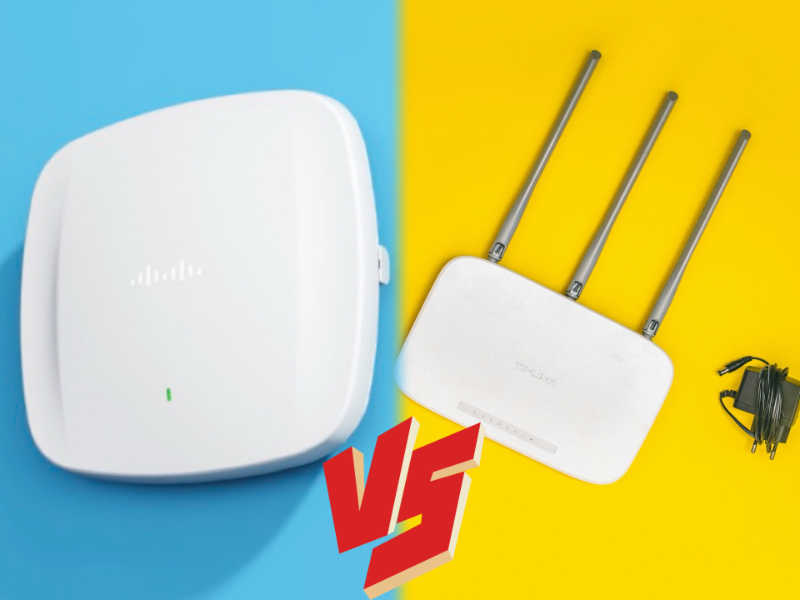
- Wireless access points (APs) and routers serve distinct yet complementary functions in network connectivity.
- While APs focus on extending Wi-Fi access to wireless devices, routers bridge connections between different networks, such as local area networks (LANs) and the internet.
- A key difference between a wireless access point and a router, is that wireless access points primarily serve wireless devices, while routers connect both wired and wireless devices, empowering networks with internet connectivity.
When comparing a wireless access point and a router, it becomes apparent that while both devices enable wireless network connectivity and serve similar functions, they share a kinship more akin to cousins than identical twins.
What is a wireless access point?
An autonomous wireless access point (AP) serves as an apparatus that connects wireless workstations to a nearby wired local area network (LAN), thus extending Wi-Fi access to an established wire network.
An access point (AP) communicates wirelessly with devices using the 802.11 protocol, which regulates data exchange over Wi-Fi networks. These devices include those using Wi-Fi or connected to the network via physical Ethernet cables.
Multiple APs are commonly deployed in most enterprises and organisations. By strategically distributing multiple APs across a network, Wi-Fi networks can adequately handle the demand across expansive physical areas and accommodate a considerable number of connected end-user devices.
Each additional AP provides an additional connection point, thereby extending network coverage and availability. Placing APs strategically throughout an office can significantly improve wireless networks by addressing dead spots or areas with weak Wi-Fi signals.
Also read: How did the internet start?
What is a wireless router?
A wireless router serves dual purposes by combining the functions of an Ethernet router, which facilitates communication between different subnets, and a wireless access point, which connects wireless devices to a wired network nearby.
It can serve as a gateway between the local area network (LAN) and the internet in addition to connecting end-user clients to the LAN.
Wireless routers not only offer fundamental firewall functions but also utilise Network Address Translation to distribute a single IP address among multiple wireless stations.
Moreover, to enable the connection of several wired PCs to LAN via Ethernet cables and facilitate internet sharing, most wireless routers are equipped with a built-in four-port Ethernet switch. Essentially, these routers integrate the functionalities of a compact Ethernet switch, wireless access point, Ethernet router, and basic firewall.
Also read: What is the Internet Engineering Task Force (IETF)?
Differences between wireless access point and router
While access points (APs) primarily cater to wireless devices like phones, laptops, and tablets, routers offer connectivity options for both wired and wireless end-user devices.
Essentially, an AP empowers a wired network with wireless capabilities. Meanwhile, routers fulfill the task of linking the local area network (LAN) with the internet, seamlessly integrating the functionalities of an AP and a router.
Wireless routers are commonly found in households and small businesses, where a single device suffices to handle relatively low user demand, they prove inadequate for rapidly expanding wireless LANs (WLANs) due to limitations in scalability.
In contrast, wireless access points find their niche in larger establishments and areas requiring extensive coverage, accommodating the needs of numerous users and supporting scalable network designs. Network administrators can enhance scalability by incrementally adding more APs as demand grows, a flexibility not readily achievable with wireless routers.
